Keep it as close to free as possible.
Start with hardware I already have, equipment passed along from work, and gear given to me by friends. Reuse what works and keep new spending to a minimum.
01 / INFRASTRUCTURE
What started as a way to bring my family’s media together became a hands-on education in Linux, networking, storage, and containers. Here’s the work behind making it easy to press play.
THE ORIGINAL GOALS
The lab began with a few practical goals for my family. These priorities still guide the choices as the project grows.
They are design goals: a way to judge each decision as the environment evolves.
Start with hardware I already have, equipment passed along from work, and gear given to me by friends. Reuse what works and keep new spending to a minimum.
Keep control of the systems and how they run. Prefer open-source tools and self-hosting, with as little reliance on cloud platforms and third-party services as practical.
Bring movies, TV shows, anime, kids’ content, live TV, music, and more into the same interface, so the family has one place to go.
Give authorized users a straightforward way to connect remotely, while keeping access controlled and the environment secure.
Personal media library and playback.
Tools supporting media organization and automation.
Configuration, storage, and the work of keeping a lab understandable.
An illustrative grouping of responsibilities, not a verified network topology or data-flow diagram.
DESIGNED FOR THE PEOPLE USING IT
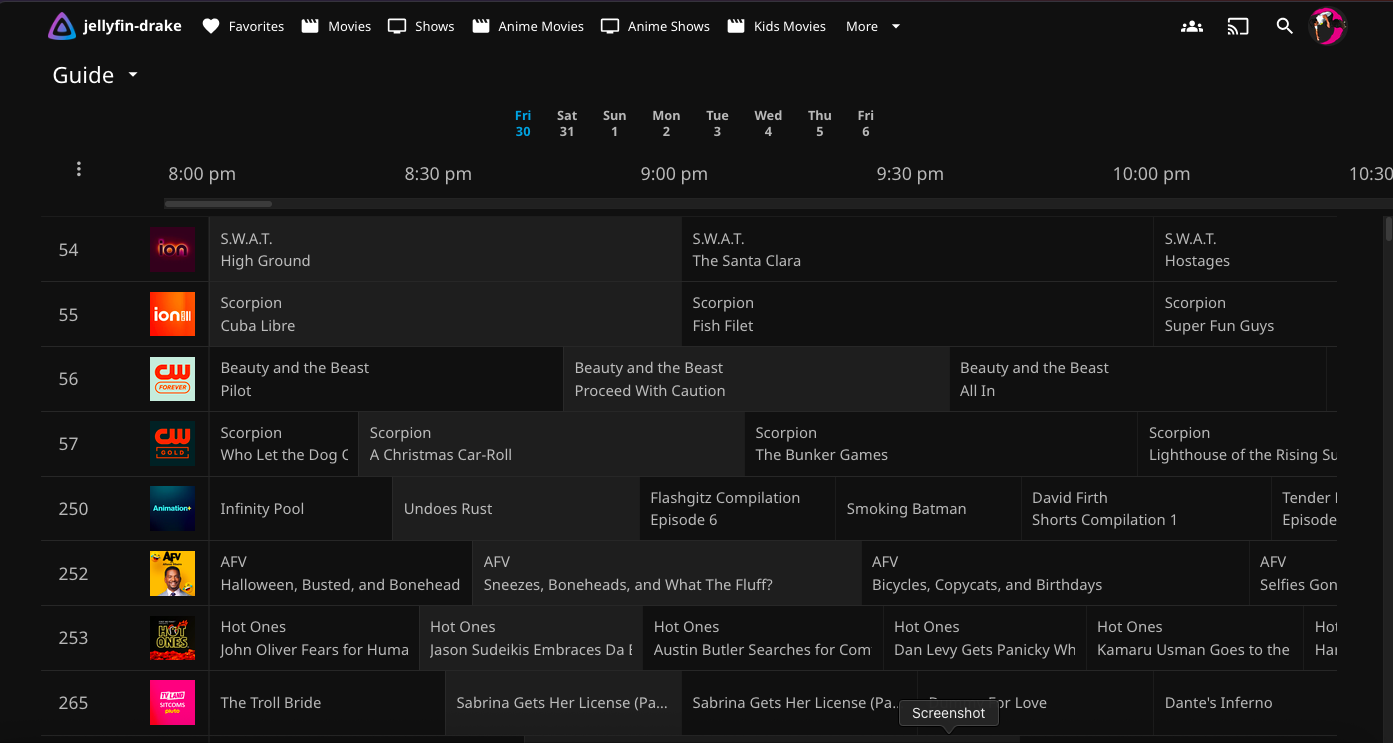
I mostly standardized the family on Fire TV Sticks and the official Jellyfin for Android TV app. Choosing a consistent client was my way of approaching playback and support before reaching for more server hardware.
Jellyfin’s availability across major platforms was also a big benefit and part of why I chose it. There are official apps for iOS and Android, along with TV and desktop clients and browser access. Family and friends have options beyond the living-room TV.
It gave us a familiar app and a more predictable experience to work with. It doesn’t guarantee Direct Play for every file: the client model, media formats, subtitles, and connection still matter.
Official Jellyfin apps, including Fire TV →Tailscale’s free offering and individual-device sharing were a huge part of my first remote-access setup. But another app, account, and occasional reconnection became a hurdle for my mom and in-laws.
That experience eventually pushed me to spend money on a public domain, despite my original goal of keeping costs near zero. It also opened up new questions about security and running a service beyond home.
Read the client, Tailscale, and domain story →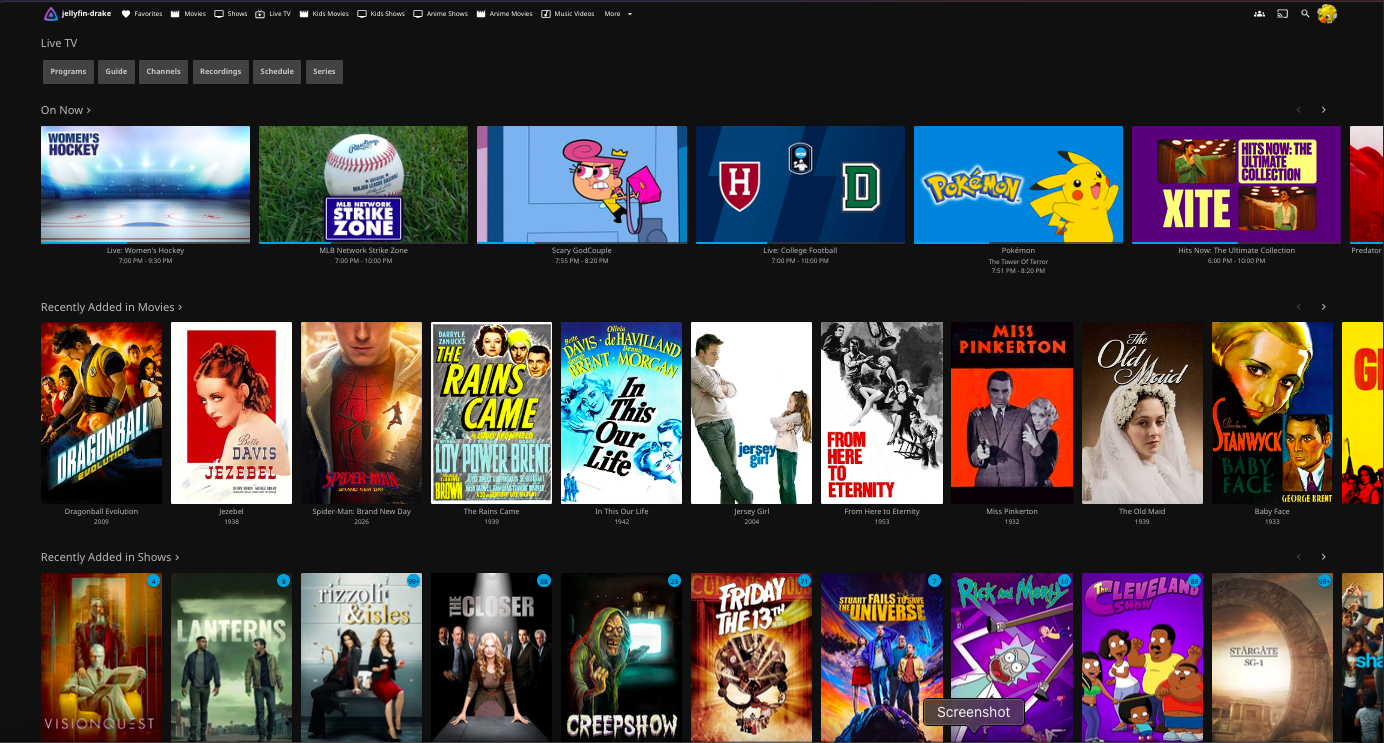
FROM A TEXT MESSAGE TO SELF-SERVICE
As more family and friends joined, requests for movies and shows often arrived by text or phone. The requests page gives them a place to search and ask for titles themselves, without needing to contact me each time.
Seerr provides the request interface, with the Arr stack supporting the workflow behind it. Jellyfin remains the place to watch once a title is available in the library.
The interface brings discovery, requests, and availability into one place. A request isn’t a guarantee of availability or immediate fulfillment; it gives everyone a clearer way to ask and follow what’s available.
How requests changed the family experience →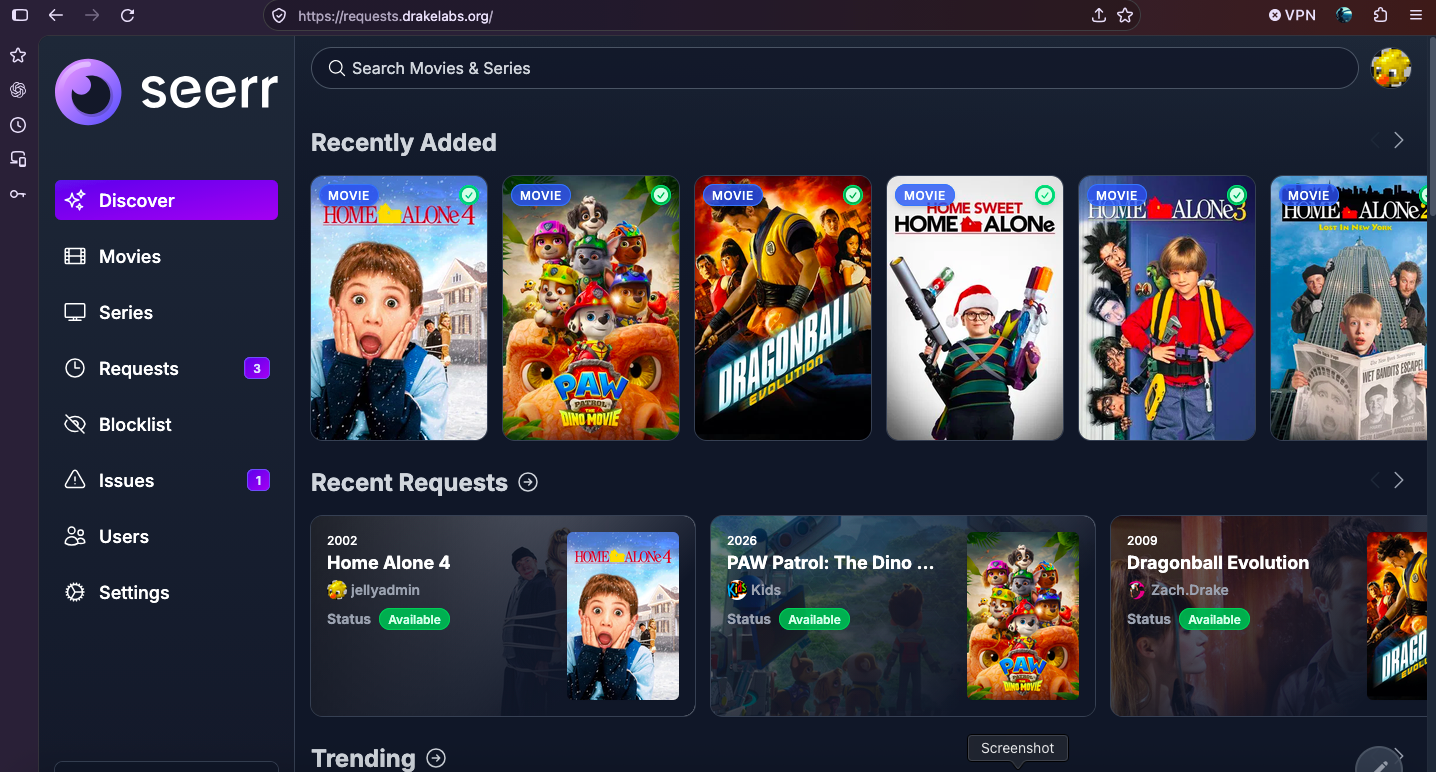
LEARNING THE FOUNDATION
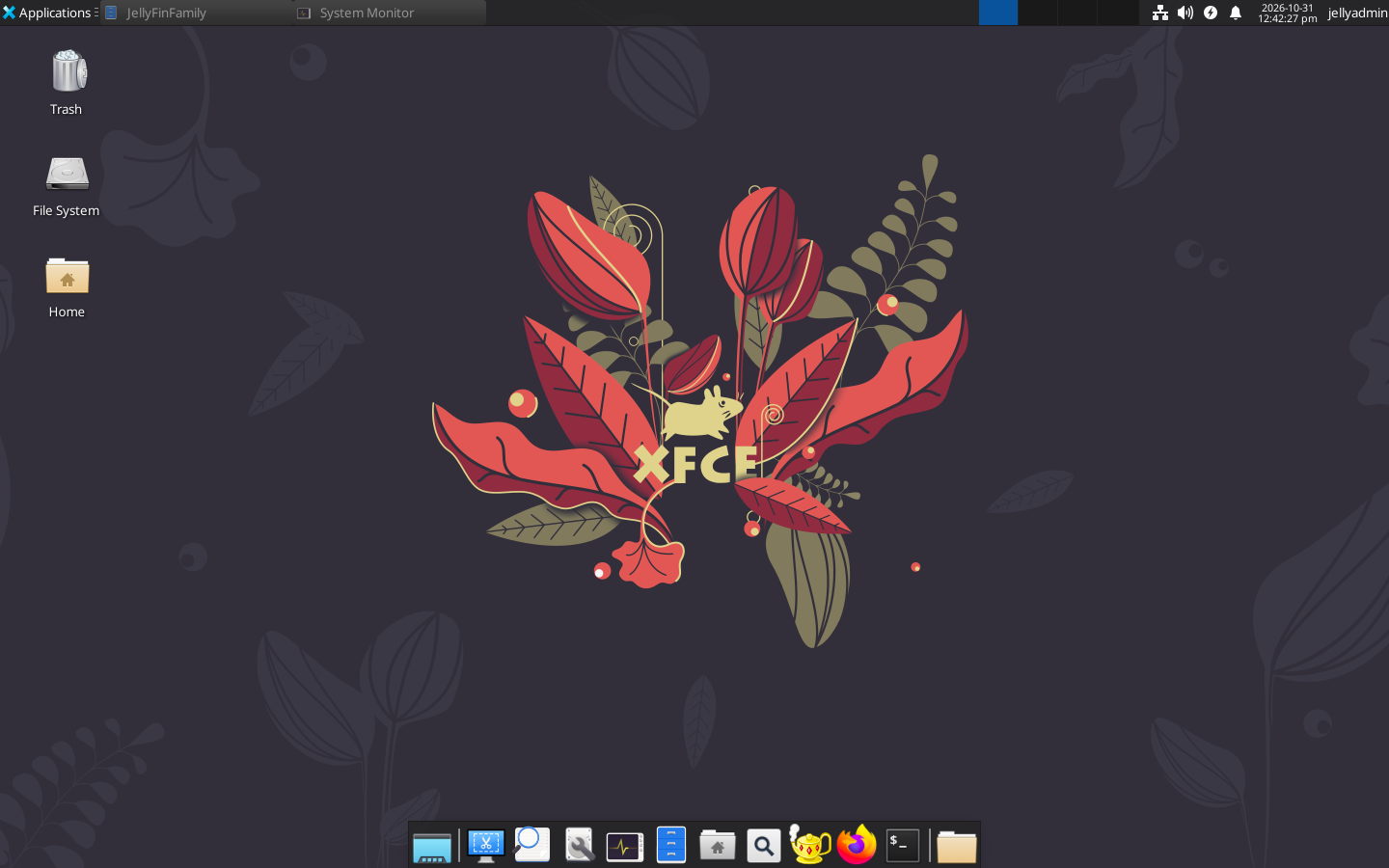
I came into this project with very little Linux experience. Ubuntu has been my operating system of choice throughout the build, and working on the lab gave me a reason to keep learning it.
I’m now comfortable working extensively in the command line, with the confidence to build, troubleshoot, and maintain the environment. I still use Ubuntu’s desktop interface when it makes the task easier; both are useful parts of how I work.
Ubuntu gives me both a capable command-line environment and a desktop interface. I choose whichever fits the task, rather than doing everything one way.
CONFIDENCE THROUGH PRACTICEThe systems are accessible through RDP or SSH from within my management network, so I can use a remote desktop or terminal as needed. Building that working knowledge has been one of the most useful outcomes of the project.
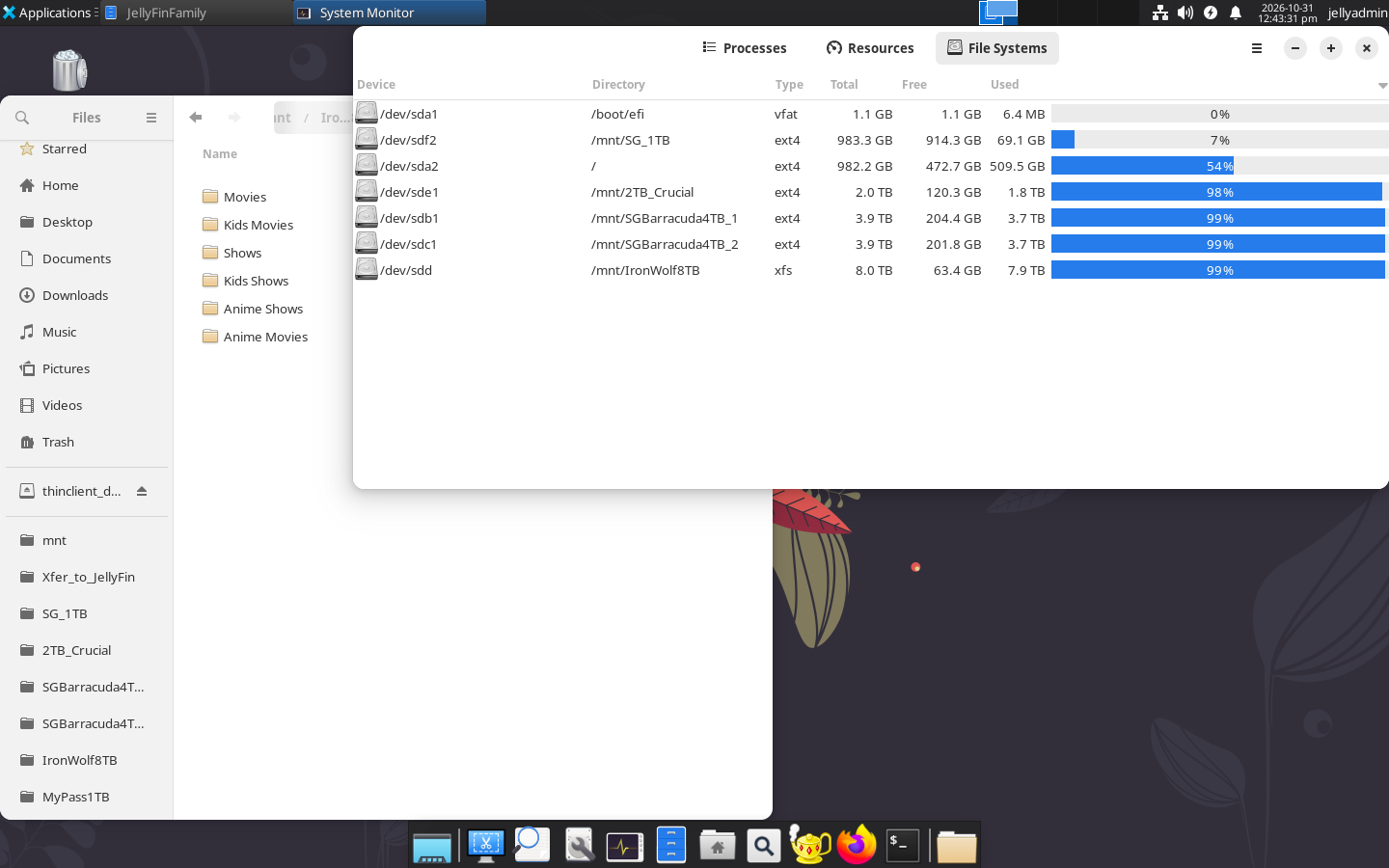
These are two complementary views: lsblk shows block devices, partitions, and mount points; df -h shows filesystem capacity and usage in readable units.
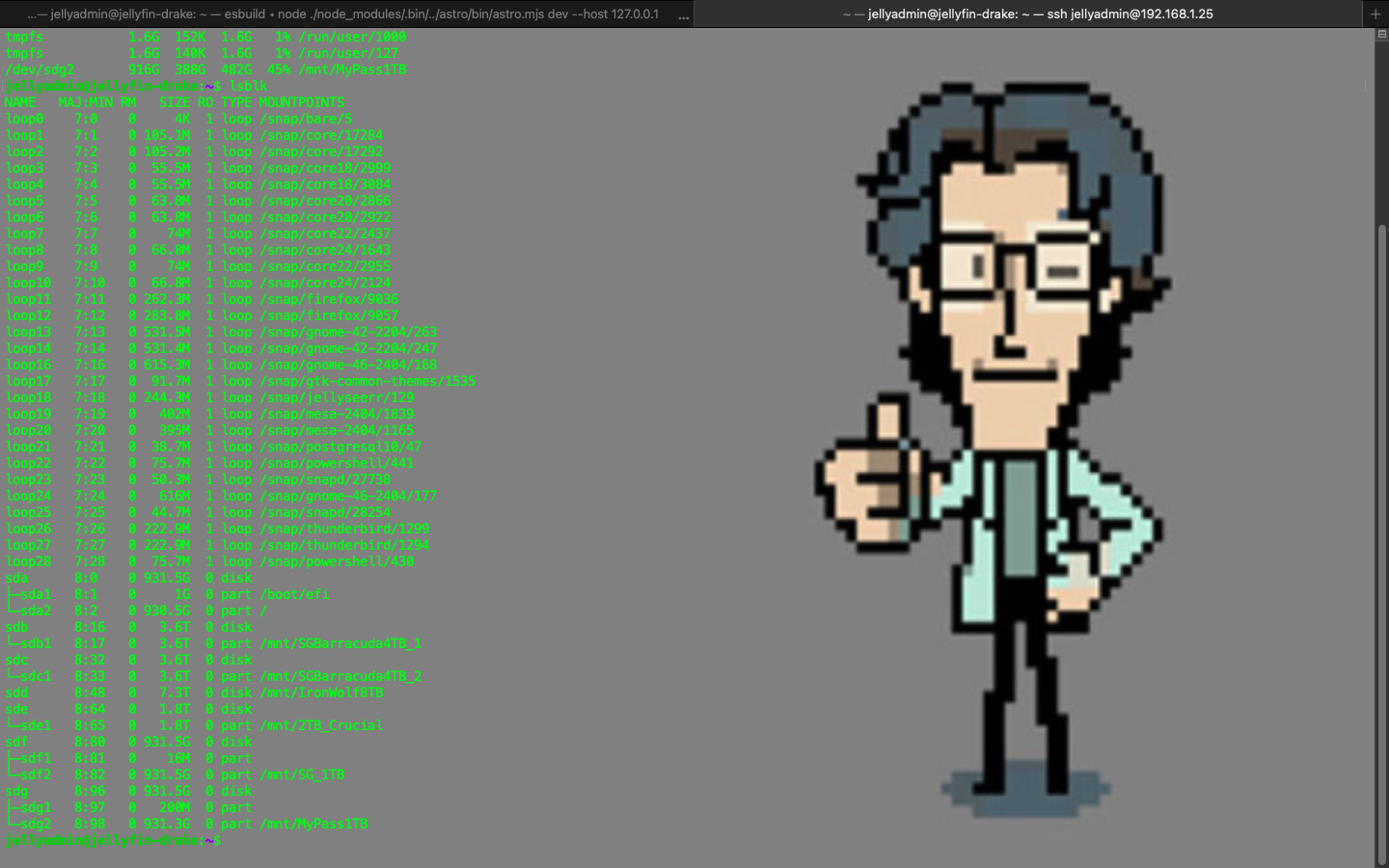
lsblk listing from my host. The loop devices at the top are part of the output; the physical disks and partitions appear below. Open full size to read the details. And if you recognize my pal Otacon in the background, you already know who’s on tech support.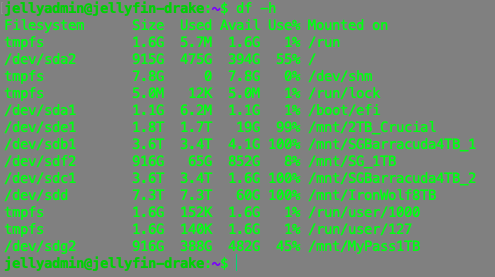
df -h provides a quick capacity check. Several media volumes report 100% usage in this snapshot—an illustration of storage pressure, not a recommended operating target. Values reflect this moment, not live monitoring. And yes, I know those disks are basically full—but have you SEEN storage prices lately?A BIG LEARNING MILESTONE
I don’t remember when I spun up my first Docker container, but it was a big step in this project. It gave me a lot to learn, from writing YAML files to understanding how to start services and see what was running.
I’m not a Docker expert. I learned enough to create and manage containers using Docker Compose, and those practical skills became an important part of building the lab.
See the milestone in the lab history →Describe the services and their configuration in a file I can read, review, and reuse.
SEE WHAT IS RUNNINGdocker psA command I learned to use when checking running containers.
BRING SERVICES UPdocker compose up -dUse the Compose configuration to start services in the background. Learning the Compose commands helped me work with the setup more confidently.
THE LIBRARY IS PART OF THE SYSTEM
Formats, names, and folders can feel like housekeeping until a title matches incorrectly, an episode disappears, or playback struggles on another device. A first cleanup makes their impact much easier to appreciate. This deserves a chapter of its own in the build guide.
Give each movie its own folder, using the title and year, with a matching video filename. For TV, use a series folder, full Season 01 folder names, and episode numbers such as S01E01. Clear names help Jellyfin identify what you have; a metadata-provider ID can help resolve ambiguous titles.
For anime, check the episode order against the selected metadata provider before renaming. A neat filename cannot fix a numbering scheme that refers to the wrong episode.
Jellyfin: movie naming →
Jellyfin: shows and episode organization →
ILLUSTRATIVE FOLDER LAYOUT
Movies/
  Example Movie (2024)/
    Example Movie (2024).mkv
    Example Movie (2024).en.srt
    movie.nfo
    poster.jpg
    backdrop.jpg

Shows/
  Example Series (2024)/
    tvshow.nfo
    poster.jpg
    Season 01/
      Example Series S01E01.mkv
      Example Series S01E01.en.srt
      Example Series S01E01.nfo
      Example Series S01E02.mkv
Sample titles, not actual library paths. Keep movie and show roots distinct and select the appropriate library type. Companion files are optional: .en.srt is an English subtitle file, .nfo stores local metadata, and poster.jpg / backdrop.jpg provide artwork. External subtitles use the video’s base filename plus a language code; subtitles can also be embedded inside the video container.
THE PLAYBACK GOAL
When the device and connection can handle the original file, Direct Play is the preferred outcome: Jellyfin sends the media without converting it, minimizing server processing and preserving the original audio and video quality. It gives the server less work to do and avoids the extra delay and potential quality loss of transcoding.
Choose formats with your viewing devices in mind, including audio and subtitles, and test on the clients your family actually uses. Direct Play still needs enough bandwidth for the original file; transcoding remains a useful fallback for an incompatible device or a slower connection.
.mkv and .mp4 describe containers. Inside are video and audio encoded with particular codecs, plus possible subtitle tracks. Two MKV files can have very different playback requirements. Changing the extension does not convert the contents.
Direct Play requires compatible video, audio, container, and subtitles. Unsupported combinations may require repackaging or transcoding; subtitles can also trigger video conversion. A file that plays on one device may need more server work on another.
Remuxing changes the container while retaining the encoded audio and video. Transcoding re-encodes streams and can cost processing time and quality. Before converting a library, test representative files on the devices your family actually uses. Jellyfin: codec and client compatibility →
Keep each album in its own folder. Jellyfin primarily identifies music using embedded track metadata, so review artist, album, and track tags rather than relying on tidy filenames alone.
Jellyfin: music organization →Better naming helps identification; playback compatibility is a separate check. Keep original media until any conversion has been verified.
BUILD YOUR OWN / IN DEVELOPMENT
The goal is a dead-simple guide someone else can follow with hardware they already have. Start with a working local library, then add each capability when it is useful. This is the planned guide structure; installation instructions still need to be written and tested on a clean setup.
Inventory an available computer and storage. The guide will state the tested hardware, software versions, expected costs, and prerequisites.
Checkpoint: a clear equipment and storage plan.Prepare the host, install Jellyfin, and add a small media sample you have permission to use. Establish naming, folder layout, and format checks with the media foundations.
Checkpoint: play a sample on a device at home.Document configuration and storage paths, set up backups, and practice restoring a small test item before the setup grows.
Checkpoint: demonstrate a successful test restore.Document an access method, its dependencies and tradeoffs, account permissions, and a way to revoke access. Test with an authorized user.
Checkpoint: approved access works and can be revoked.Add music, live TV, supporting services, or monitoring as optional chapters. Record what each addition needs and how to undo it.
Checkpoint: verify the new feature and existing playback.Every finished chapter should include the goal, prerequisites, reviewed commands, expected results, troubleshooting, and rollback steps. Scripts should explain what they change before a reader runs them.
See how my own build unfolded →WHAT TO DOCUMENT
Future case studies can explain service boundaries, configuration choices, recovery procedures, and lessons from troubleshooting.
Describe how components fit together at a public-safe level.
Turn recurring maintenance into clear, reusable notes.
Explain how authorized users connect and what makes access easy to use.